Student Feedback: Exemplars / Writing Conferences / Student Generated Tutorials
New to 5th Grade this year Betsy Sise is already leading and sharing out how she uses a Chrome Extension called SnagIt to give student feedback. She was initially introduced to SnagIt at the Boulder Google Summit this past fall and started using SnagIt to create video tutorials for directions, how to's and student exemplars. After sharing this with the Littleton Inspired Writing Cohort and having conversations with other teachers in this cohort she moved from tutorials and student exemplars to student writing conferences.
Betsy uses SnagIt videos for her advanced students to set goals and guide their work so they can self-pace and continue to grow. She uses SnagIt with her struggling students by recording her sit down writing conference with them. This allows students to go back and listen to the conference again, remember the focus area and review their goal for the writing piece.
Betsy is already thinking ahead of these great practices and is providing students voice by giving them the opportunity to lead by creating their own video tutorials on their topic of choice.
Continue to check back with Ms. Sise's website at Runyon Elementary to see this great work continuing to develop over the year.
Runyon Elementary
All of our LPS buildings do great work. This is the first of many posts to showcase our amazing LPS students and teachers that help guide them.
Authentic student work
Online Student Newsletter: Twain Times - January Edition
Just started this month, the Student Newsletter at Twain has begun with a Bang! Initiated by students and guided by Laura McKone, this newsletter has everything to become a success. Student authors are including opportunities for the entire Twain student body to feel like they have a voice. Art Contests, Recipes, Student and Teacher Spotlights, Writing Contests and more.
They even have a Debate section. Their first Debate Topic was "Is technology taking over?". They had persuasive writing pieces included that supported both sides of the topic, just like professional journals. These future journalists understand how to connect and give voice to their audience. Good Luck and I can't wait for the February Edition!
Online Student Morning Announcements: BLOG
Started in 2008 Twain has been creating daily Student Morning Announcements. These announcements are led by students. They highlight teachers, events, issues and give different students each day the opportunity to gain leadership and speaking skills. Led by Liz Aucone this is one of the student led activities that really defines Twain.
Amazing!
Twain Elementary
As technology continues to provide tools to help us write more easily, are we still considered good writers if we depend on these tools?
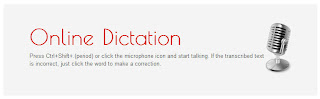
Online web-based dictation tools can be an incredible resource for reluctant writers. Speaking helps you express your ideas, understand who you are and helps you learn about yourself which is what writing does too. Speaking your thoughts using an online dictation tool like Online Dictation - Speech Recognition allows students to get their ideas and content down on paper easily. ( Speak > Copy and Paste into a Google Document )
Ideas and content is one of many areas that Online Dictation tools can help a struggling student. If you have never been in a classroom during a writing block, many times it will take students 1-3 class periods just to get their thoughts down on paper, and some never do without the help of a teacher. Some of these students may be given low marks on rubrics that they are struggling with ideas or content. Is this really true? Do they really not have an idea of what to write about? Or is the issue the physical writing/slow typing that gets in the way of trying to share their idea and content?
A classroom where students can dictate their writing piece during the pre-writing process gives them the opportunity to get their thoughts down on paper quickly, a feeling of independence (not needing an adult to scribe for them) and ultimately spend more/most of their time editing and revising. This polishing of a writing piece is where students learn how to improve upon their initial thoughts. If our struggling writers are having difficulty just getting words on paper, then they often lose access to time in all parts of the writing process that help them become better writers. Online dictation tools allow students to share their ideas more easily, but is dictation an acceptable form of writing?
There are precedents where well known writers dictated their books. Winston Churchill, Alexander Dumas and Montaigne are said to have dictated their work to secretaries. The revising and editing of the work was done by hand after the dictation was typed out by the secretary. Even recent authors like Dan Brown are known to have used dictation software to write their books – saving money on secretaries. Stephen Hawking is a well known British theoretical physicist, cosmologist, and author who wrote a book called A Brief History of Time. He is almost entirely paralyzed and communicates through a speech generating device. Would his ideas in the book be any less valuable if you knew that he did not physically write a single word? So if dictation is good enough for Prime Ministers, and published authors why are we not using these tools regularly in the classroom if they are free? What skills do we feel students will miss out on? Why does this not translate down to students? State Testing?
What are your thoughts about online dictation tools? Are they finally robust enough to be used universally in classrooms?
If any of you are wondering if I typed this blog post or used an online dictation tool...does it matter?
FREE Web-based Dictation Speech Recognition Tools
- Online Dictation Speech Recognition
- Chrome Extension Simple Dictation
Here is how we use Online Dictation in the Pre-writing, Drafting process with some kids.
Other things to consider:
Pros for Online Web-based Dictation tools
- Allows us to model that speech can be written down and read back to you
- It can speed up the writing process.
- If you think verbally, you may lose good thoughts during the slow typing process.
- Typing becomes a non-issue for drafting writing pieces
- This strategy enables children from other cultures/languages to bring their different experiences into the classroom to share. Sharing dictations and then translating the dictation can enrich other students' experiences and allow the language barrier to be overcome.
Cons for Online Web-based Dictation tools
- Some people think visually ( writing, outlines ), rather than completely verbally ( speaking )
- Verbal communication is linear, where writing allows you to skip around. - - - - State writing tests are still paper and pencil